Connect your ticketing platform
Eventdash is built on your ticket data, so the first thing it asks is to Connect your ticketing platform. Pick yours and follow the steps. Your history imports in the background, and you can start looking around while it does.
If you’re not ready, choose I’ll do it later. See Connect a ticketing platform for each platform’s steps.
The setup checklist
Get started, at the bottom of the sidebar, opens a checklist of what to do next. Each step ticks itself off once it’s done, and the ring beside it shows how far you’ve got.
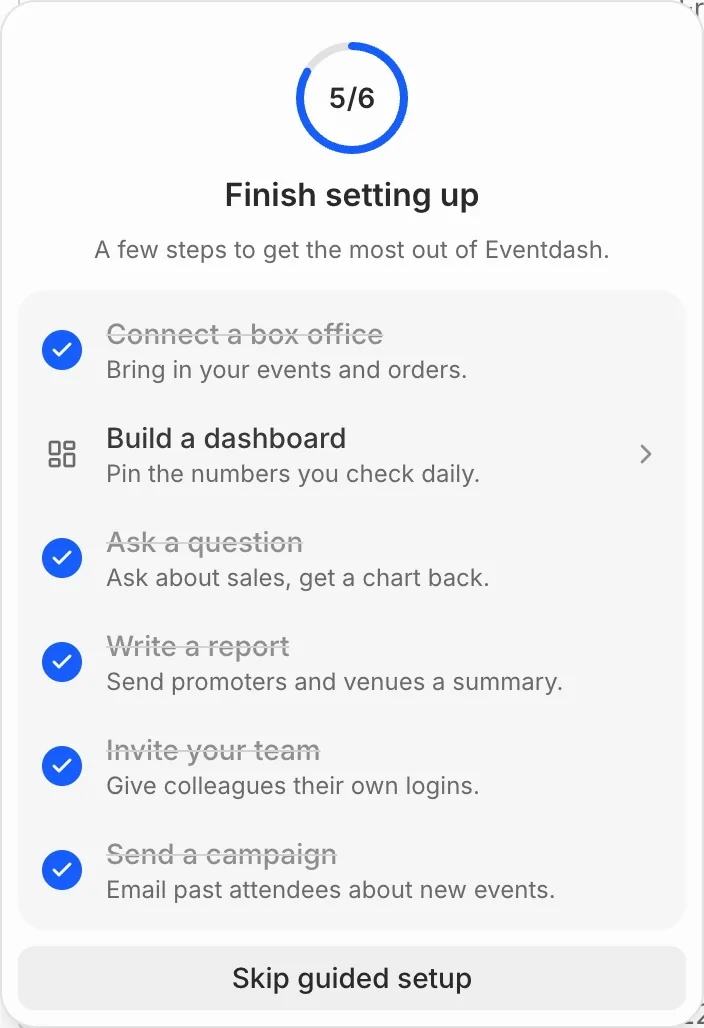
- Connect a box office: see Connect a ticketing platform
- Build a dashboard: see Build a dashboard
- Ask a question: see Ask a question
- Write a report: see Write a report
- Invite your team: see Invite your team
- Send a campaign: see Send a campaign
The checklist goes once every step is done. Don’t need it? Choose Skip guided setup to hide it for good.
Only owners and admins see the checklist.