Sign up
- Go to eventdash.app/signup and enter your email, or choose Continue with Google, Continue with Apple or Continue with Microsoft.
- If you used your email, open the message we send and click the link, or type the 6-digit code.
- Tell us what to call you under What shall we call you? and press Continue.
Create your organisation
An organisation holds your ticketing platforms, dashboards, people and team. Most companies need just one.
- Under Create your organisation, enter the Organisation name.
- Under Choose a plan, pick a plan, choose Monthly or Yearly, and pick the currency you want to be billed in.
- Press Continue to checkout and add a card.
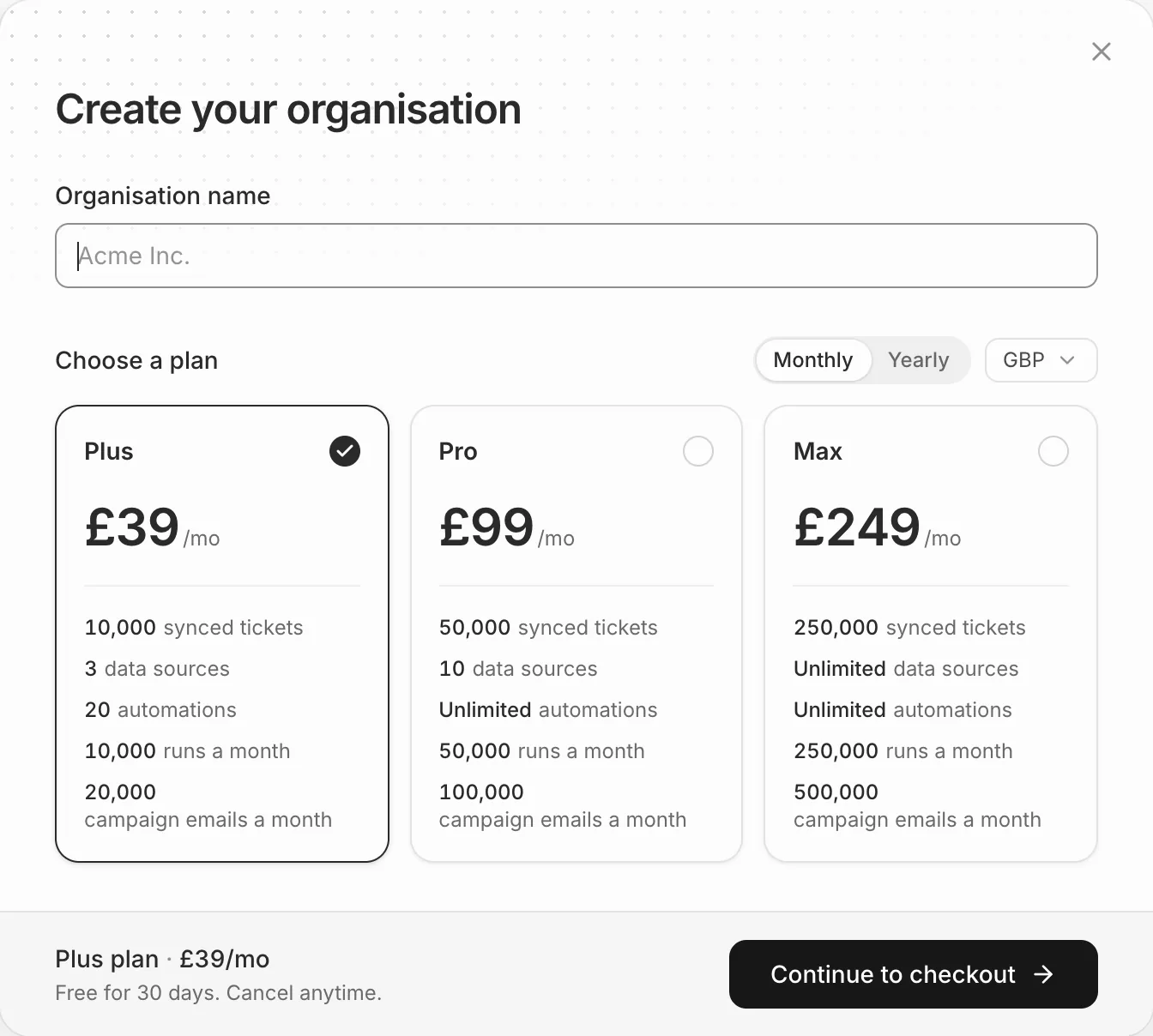
Your billing currency can’t be changed after the first payment, so pick the one your invoices should be in.
Your free trial
Every organisation starts with a free 30-day trial of the plan you chose, with that plan’s allowances. You won’t be charged until it ends, and we email you a few days before it does.
To avoid being charged, cancel before the trial ends. See Cancel your subscription.
Joining someone else's team
If a colleague invited you, you don’t need your own organisation. Follow the link in their email instead; see Join an organisation.