Send a test
Press Send test. It saves your changes, then runs the whole automation once with example data, such as a made-up order. Each step gets a tick or a cross as it finishes, and the lines the run took turn green.
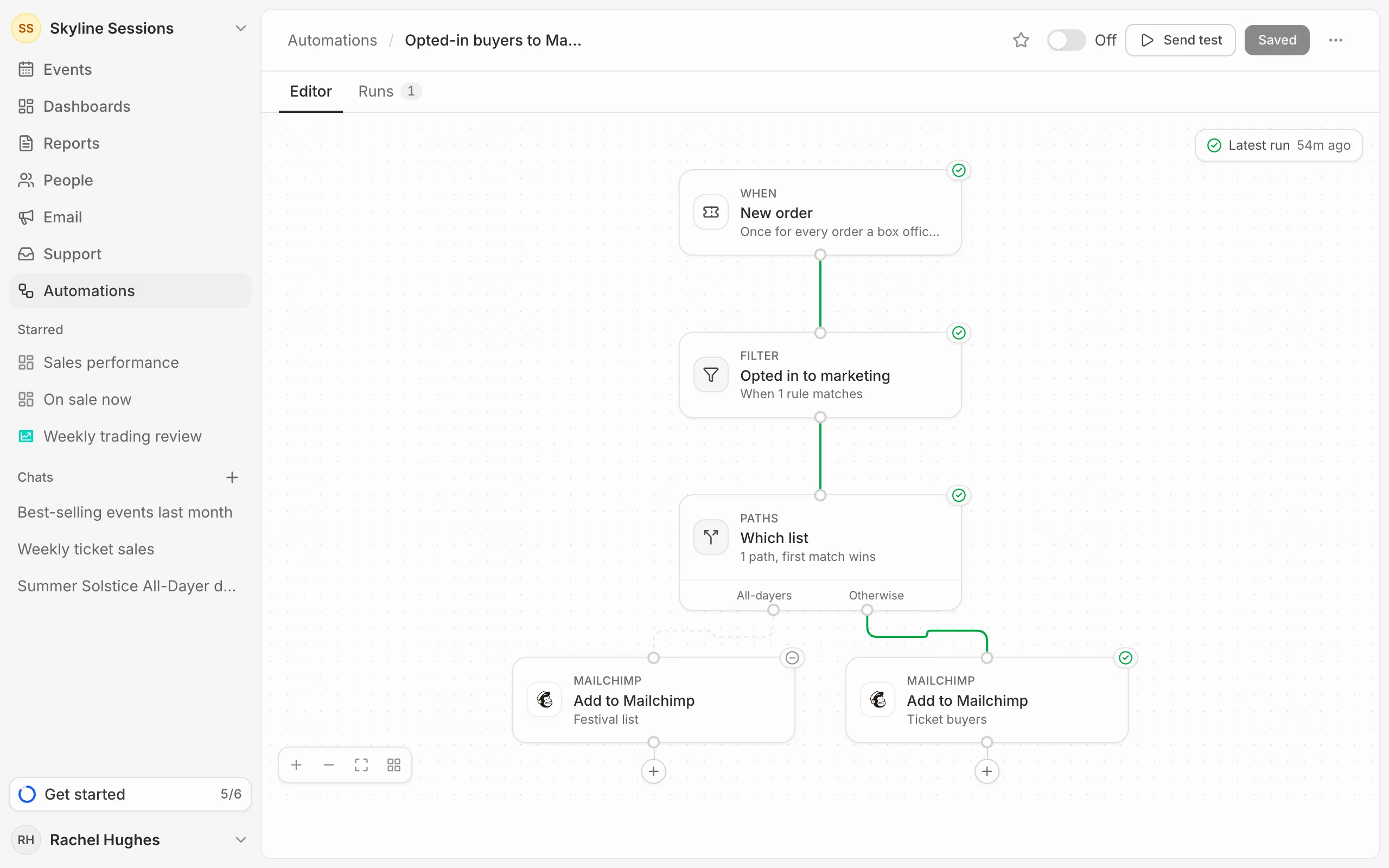
Click a step to see what it did. The editor always shows the latest run; press Latest run above the canvas to open it in Runs.
What a test sends
- Messages are posted for real, marked as a test, so check the channel.
- HTTP requests are sent for real, and rows in spreadsheets and databases are added for real.
- Steps that add people to a list, a CRM or a webinar only check they could, and change nothing.
- Delays don’t wait: the run notes when it would have carried on.
- Metric threshold uses the metric’s real value.
Test one step
Open a step and press Test this step to run just that step now, with the data from the latest run, or example data if there hasn’t been one. It sends for real in the same way.
Tests and your plan
Test runs don’t count towards your plan’s automation runs.