Overview
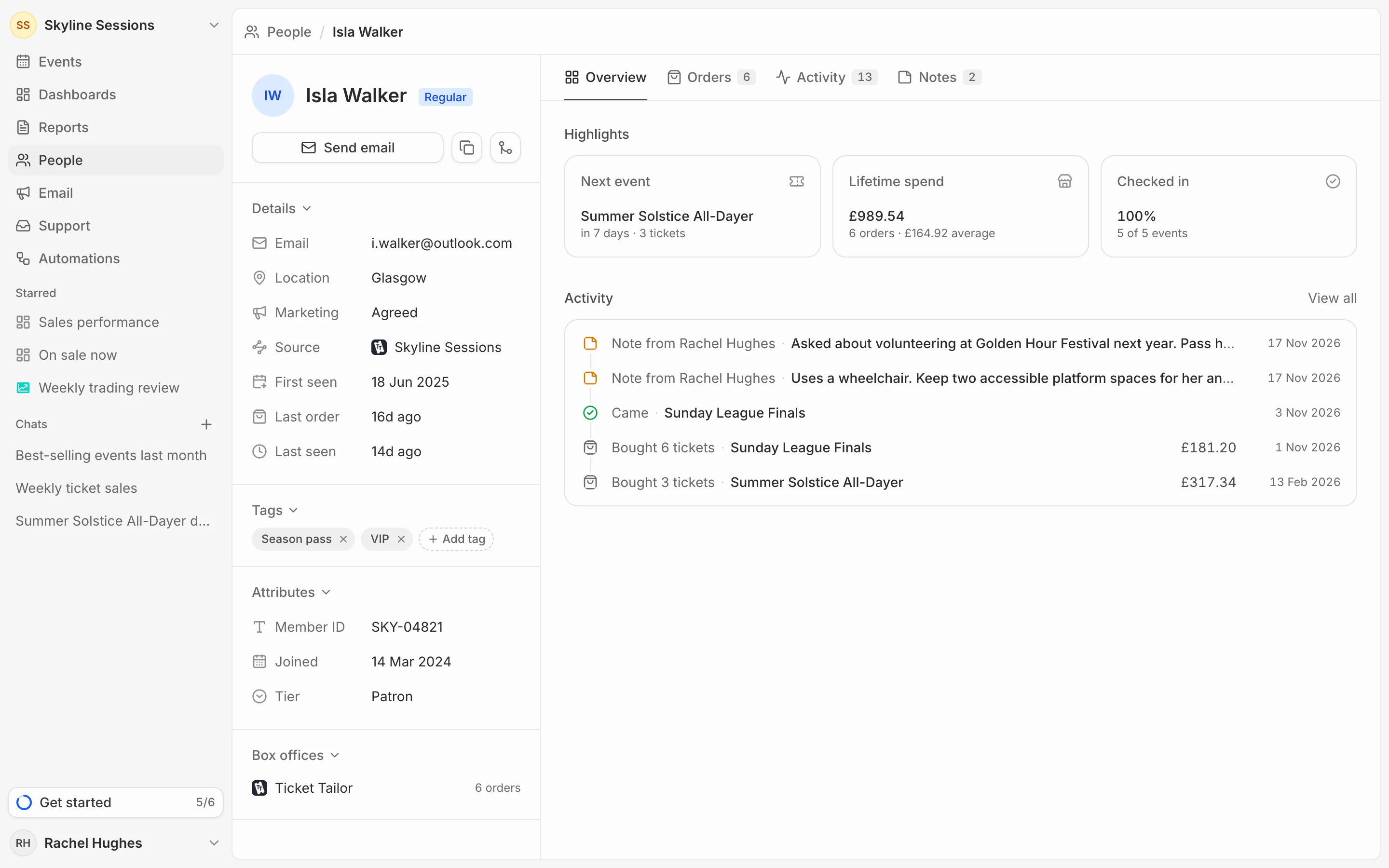
A profile opens on Overview: their next event, lifetime spend and how often they’ve checked in, then their latest activity. Someone with tickets for three or more events is marked Regular.
Details
Down the left are their email addresses, location, where they first came from, and when they were first seen, last ordered and last seen.
Marketing shows whether they agreed to marketing emails (Agreed), said no (Declined) or were never asked (Not asked). It’s their answer on the latest order that asked. Only people who agreed get campaigns.
Below that are their tags and attributes (see Tag people and keep notes), and the box offices they bought through.
Orders and activity
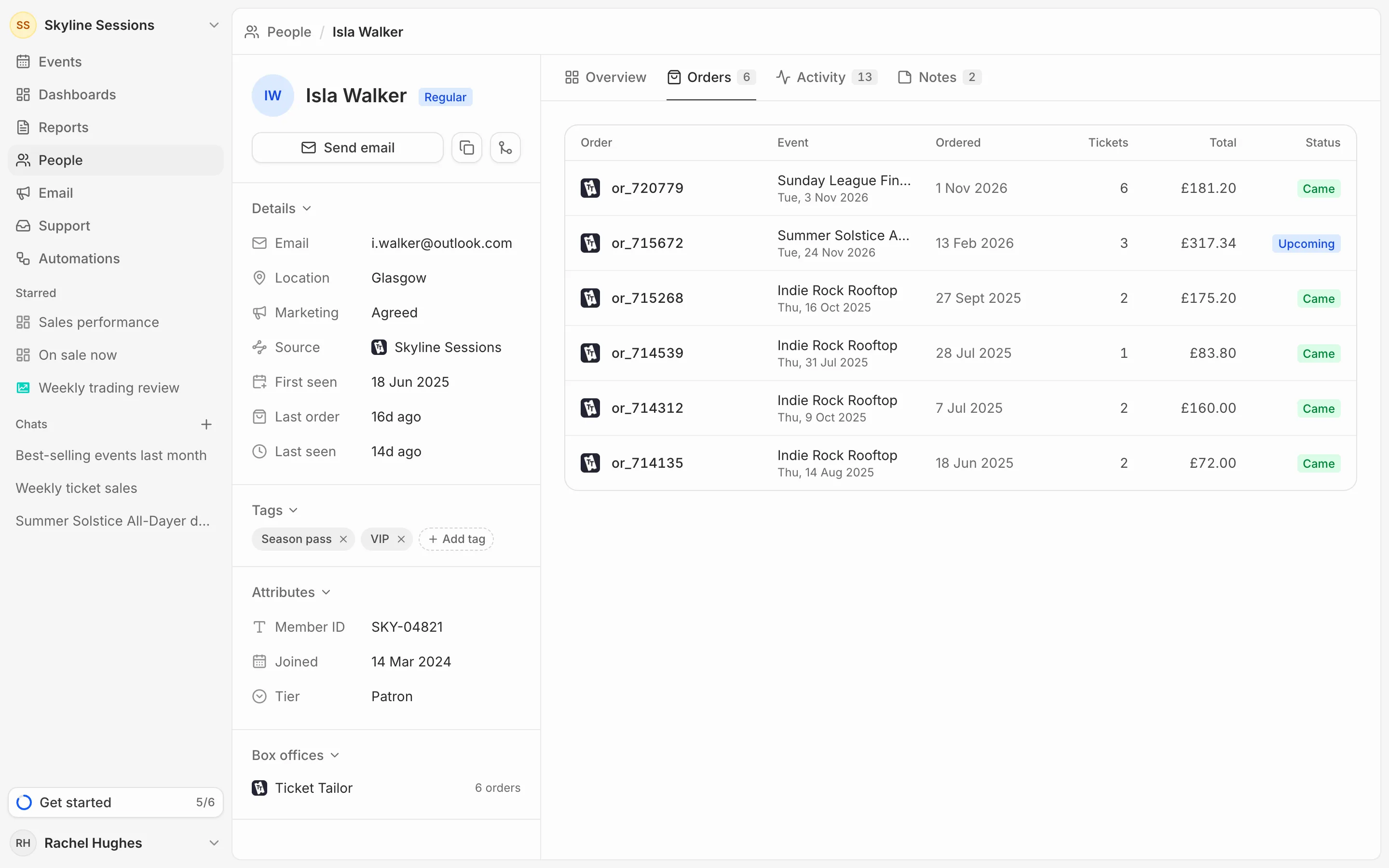
Orders lists every order with its event, date, tickets, total and whether they Came, were a No-show, were Refunded or the event is Upcoming. An order someone else placed for them says who bought it.
Activity puts everything in date order: orders, check-ins, messages to support, notes and changes your team made.
Change their name
Click their name at the top of the profile to edit it. The name you give is kept even when their box office has a different one.
Contact them
Send email opens a new message to them in your own email app. The button beside it copies their address.