Create a saved reply
- Go to Settings, then Saved replies, and press New saved reply.
- Give it a Title and write the Reply.
- Press Save.
Write
{{first_name}} where the buyer’s first name should go, or {{name}} for their full name. Personalise adds them for you.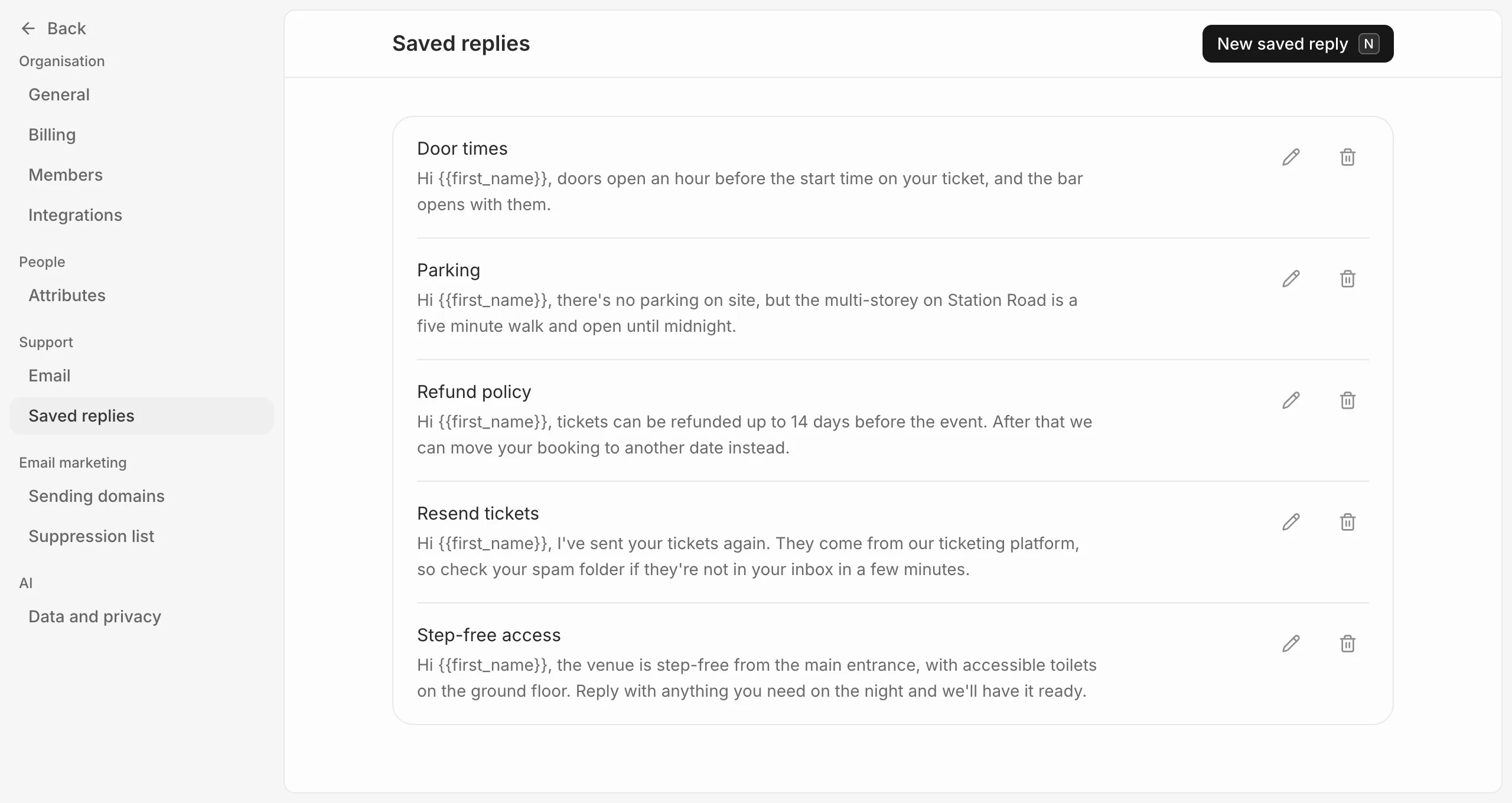
Use one
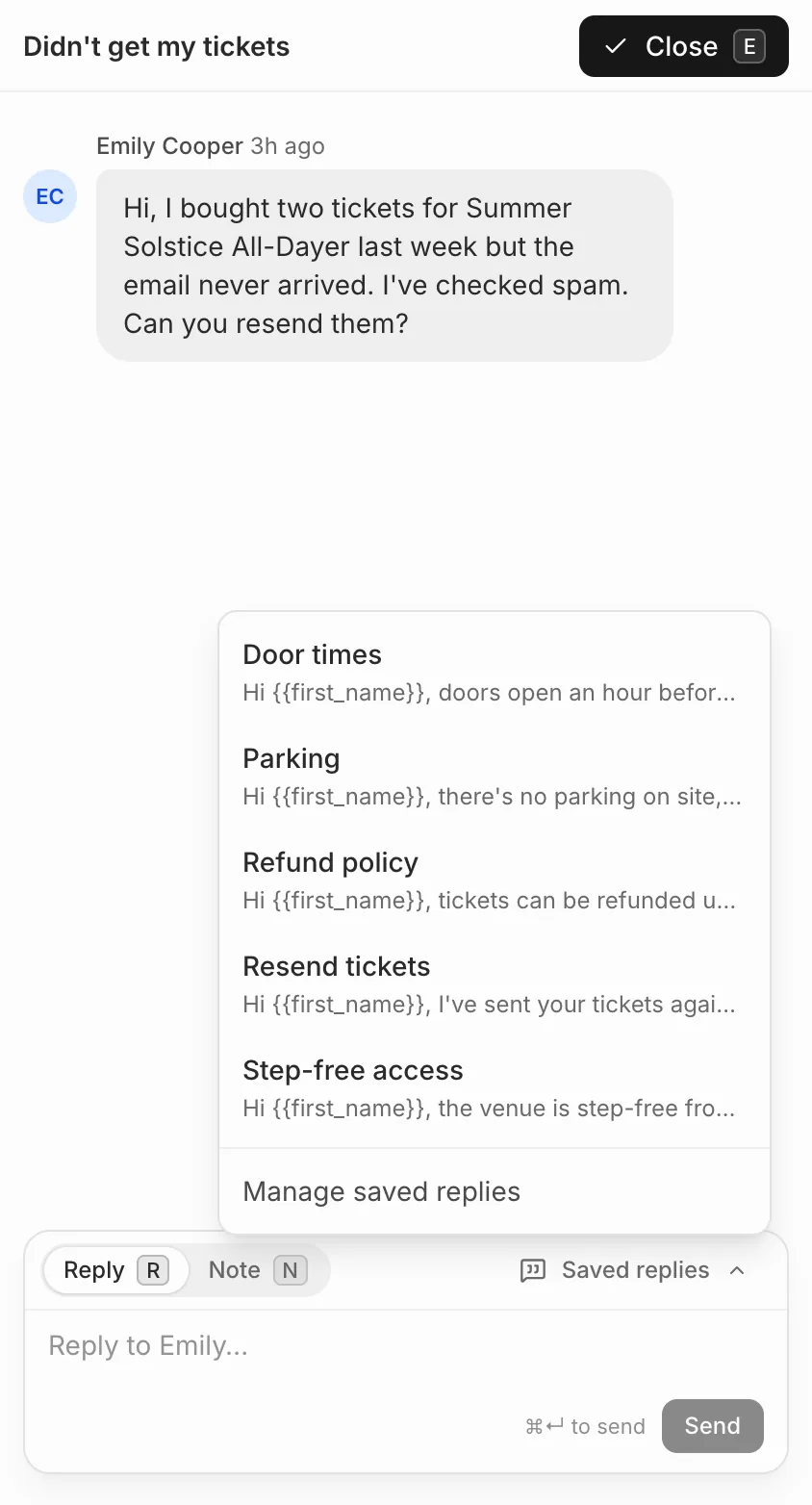
In a conversation, open Saved replies above the reply box and pick one. It’s added to your reply with the buyer’s name filled in, for you to edit before sending.
Everyone in your organisation shares the same saved replies, and anyone can add, edit or delete them.
Answer the same question for everyone
There’s no way to send one reply to many conversations at once. If lots of buyers ask the same thing before an event, an email to everyone with a ticket may be quicker. See Send a campaign.