Find your forwarding address
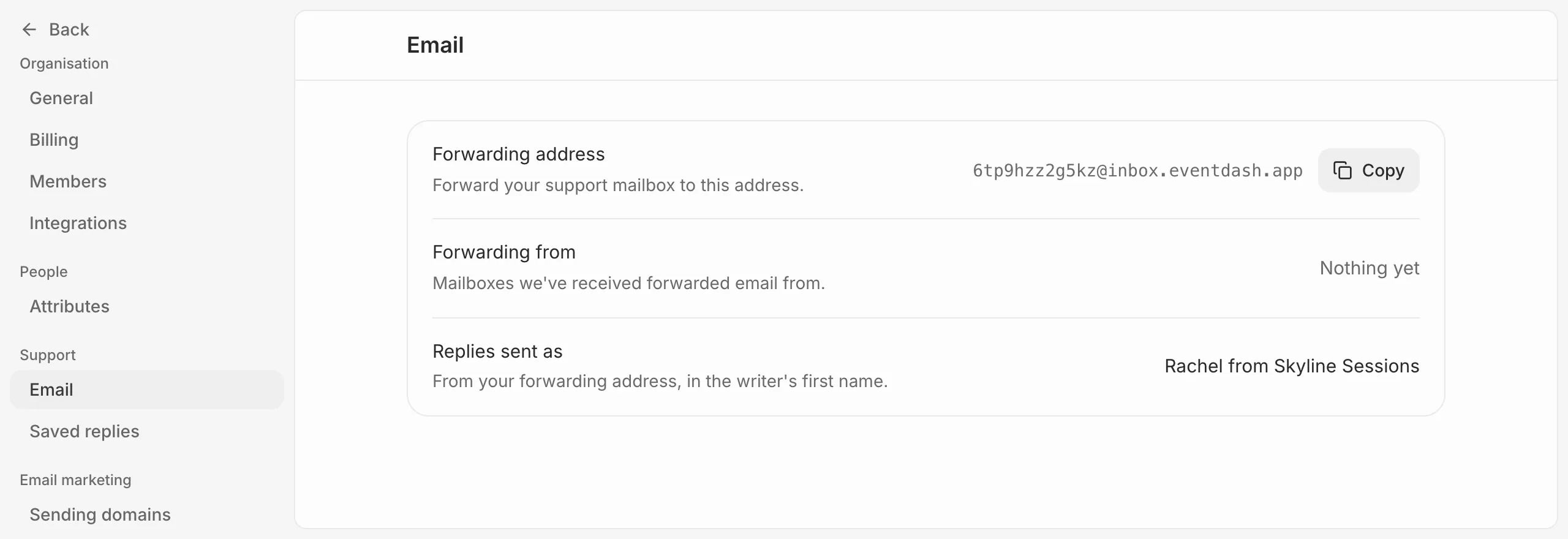
Go to Settings, then Email under Helpdesk. Your Forwarding address is unique to your organisation and ends in @inbox.eventdash.app. Press Copy to copy it.
Set up forwarding
- In the mail service behind your support address (Google Workspace, Microsoft 365 or another), add a rule that forwards every message to your forwarding address.
- Send a test email to your support address from another account.
- Open Helpdesk in Eventdash and check it arrived.
Each mailbox that has forwarded email to you is listed under Forwarding from, with when its last email came in.
You can also forward a single email by hand. It becomes a conversation with the person who first wrote it, and anything you added above it is kept as a note.
How replies are sent
Replies go out from your forwarding address under the writer’s first name and your organisation’s, such as “Rachel from Skyline Sessions”. Anyone copied in on the buyer’s email is copied in on the reply. When the buyer answers, it lands in the same conversation, and reopens it if it was closed.