Assign
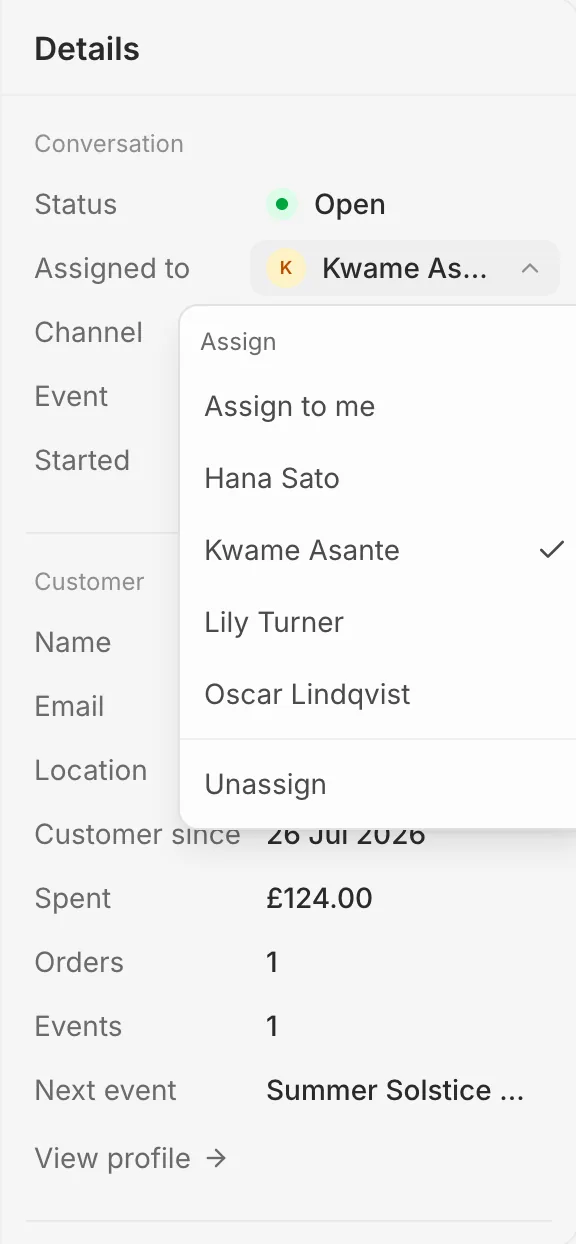
In the details panel, click the name beside Assigned to and pick a teammate, or Assign to me. Pick Unassign to hand it back to everyone.
Everyone in your organisation can read, answer and assign every conversation.
Close
Press Close (or E) when it’s dealt with, and the next conversation opens. Closed conversations are under Closed in the view menu. If the buyer writes again it reopens by itself, or press Reopen yourself.