Upcoming and past
Events is the first item in the sidebar. It opens on Upcoming, soonest first. Past has the events that have finished, latest first, and Starred the ones you’ve starred. Events from all your ticketing platforms sit in one list; the logo at the end of a row says which platform it came from.
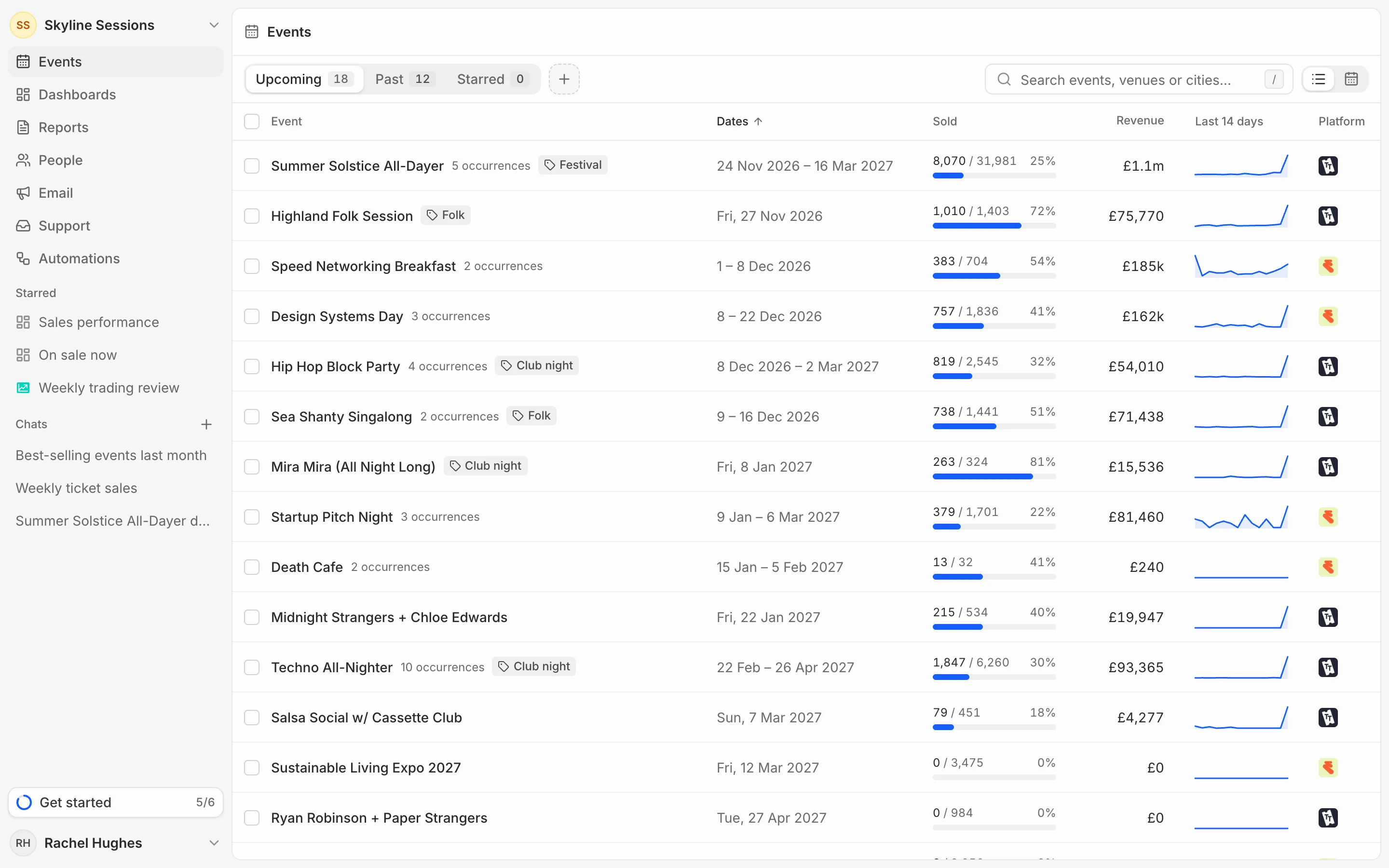
What's in a row
Sold is tickets sold against capacity. Revenue leaves out refunded tickets. Last 14 days shows tickets sold each day for the past fortnight, so you can see which events are moving.
An event that runs on several dates is one row, marked with how many occurrences it has. Its figures add up every date. Open it to see each date on its own.
Search and sort
Search by event name, venue or city; press / to jump to the search box. Click a column heading to sort by it, and click it again to reverse the order.
Star an event
Open the event and press the star at the top right. It appears on the Starred tab and under Starred in the sidebar.