Add a merge tag
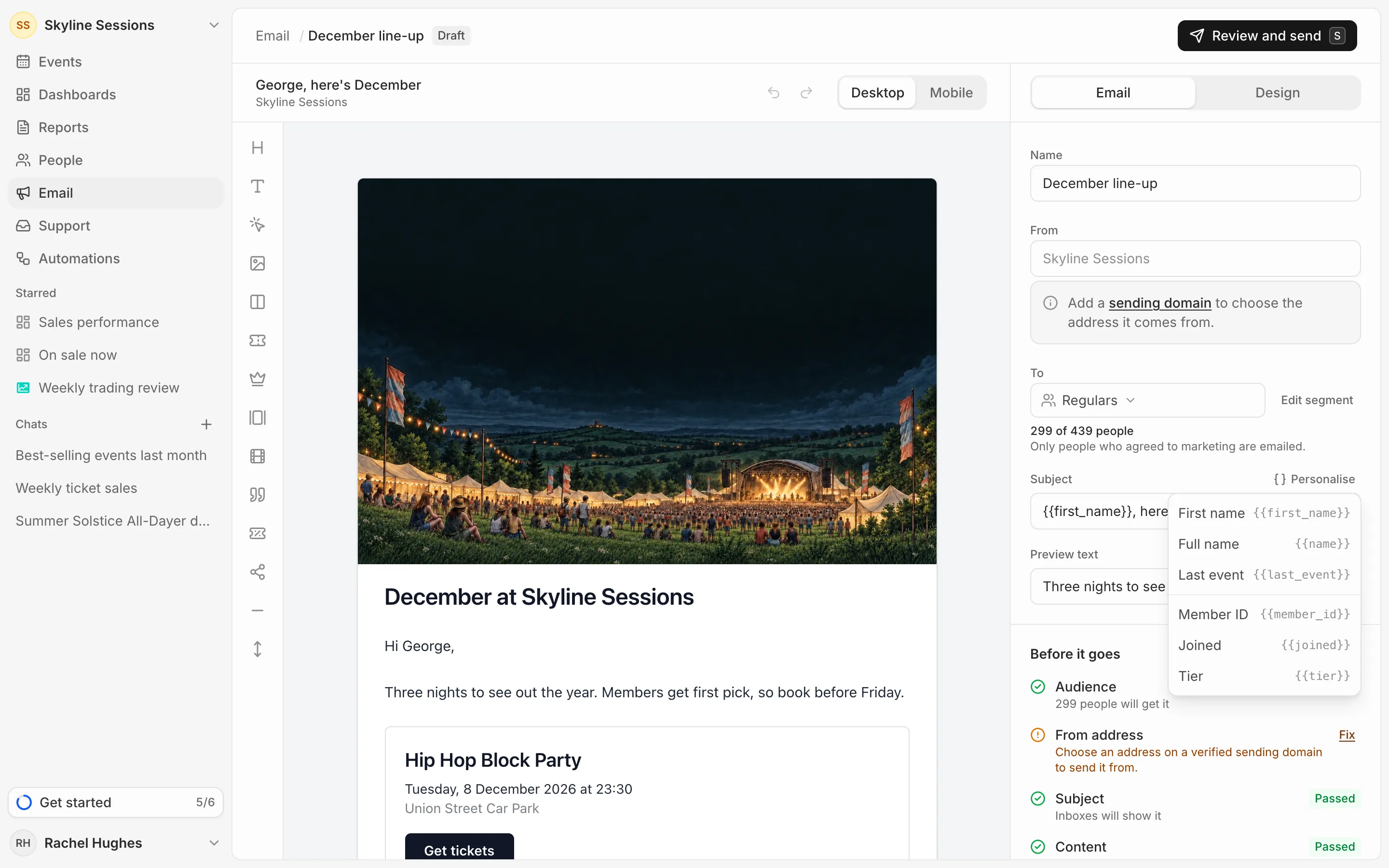
Press Personalise above the subject, the preview text, a heading or text block, or the footer fields, and pick a detail: their First name, Full name, Last event, or any attribute you’ve added (see Add your own attributes). It goes in as a merge tag, such as {{first_name}}, which is filled in for each person. You can type a merge tag yourself too.
When a detail is missing
Someone with no name gets “there” instead, so “Hi {{first_name}},” reads “Hi there,”. An attribute they have no value for is left blank. Bear that in mind when you place a tag at the start of a sentence or subject.
Check it
The editor fills the tags in as one real person from the segment, its biggest spender, so you can read it as they will.
A merge tag nothing can fill, such as one that’s misspelt, stops the campaign from being sent until you fix it. The checks list it under Personal details.