Filter the whole dashboard
Press Filters at the top of the dashboard, or F.
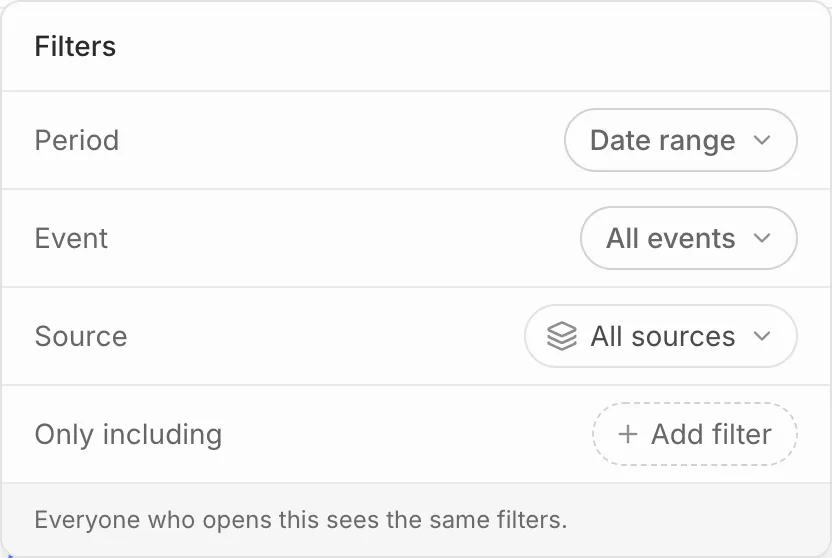
- Period: the last 7, 30 or 90 days, the last 12 months, all time, or dates you pick on the calendar. Default lets each card keep its own period.
- Event: focus on one event.
- Source: one ticketing platform.
- Only including: press Add filter to count only some sales, such as one ticket type.
Press Reset to clear them. Days, weeks and months start in your organisation’s reporting timezone.
Filters are saved with the dashboard, so everyone who opens it sees the same ones.
Give one card its own filters
Open a card’s menu and choose Filters. A card can keep its own period or source, read across every event while the dashboard is focused on one, or ignore the dashboard’s filters altogether.
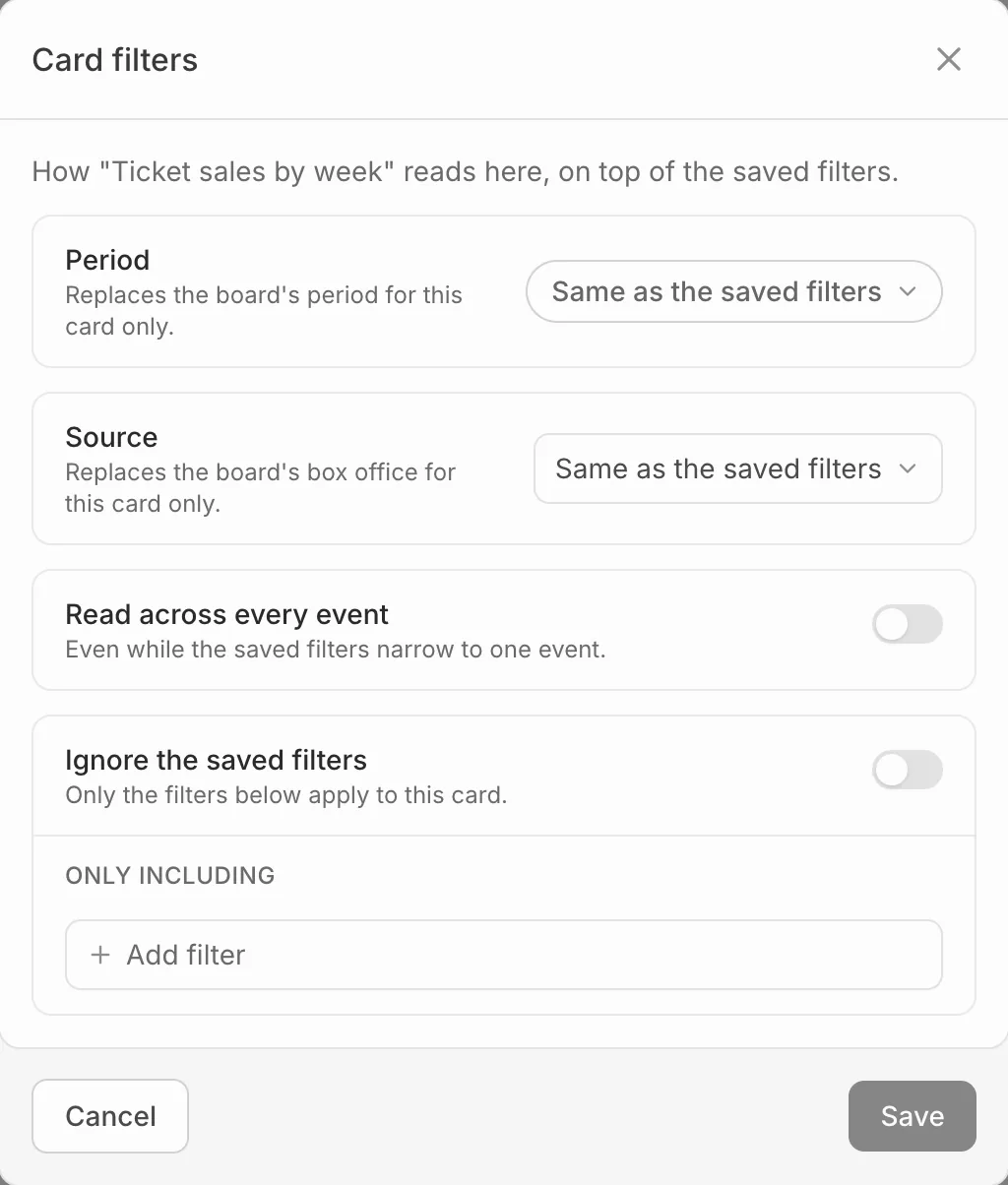
A small mark on the card shows it has filters of its own.